
nasmiles – Family Miles Account
The Family Miles Account allows nasmiles members from the same family to combine their earned miles into one shared balance. A Family Leader, aged 21 or above, manages the account and may invite up to eight existing nasmiles members. Each member keeps their own miles, while their earned miles are also added to the shared family balance — making it easier to earn, redeem, and manage rewards together.
Create a Family Miles Account and start pooling miles with your loved ones. Earn faster, redeem sooner, and enjoy flynas rewards together.
How to Register for a Family Miles Account
Step 1
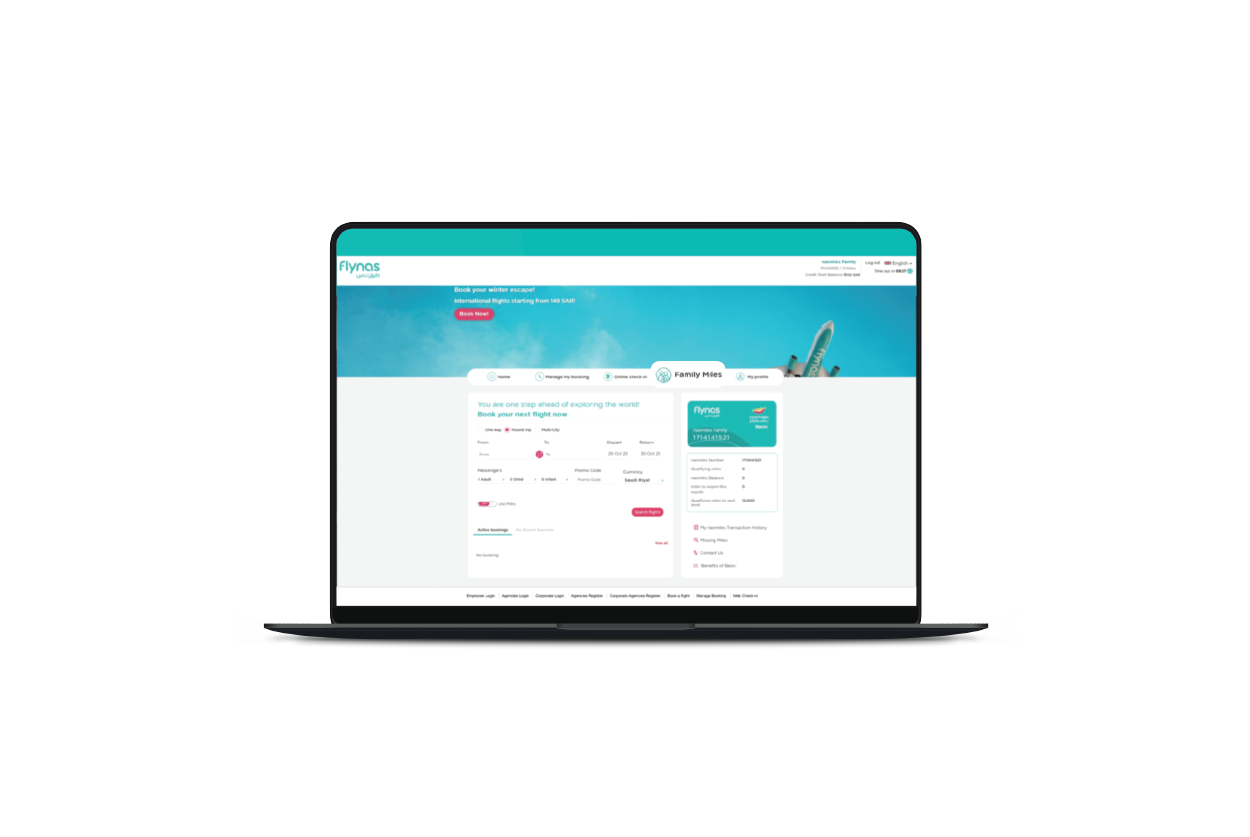
Log in to your flynas account and ensure your account is enrolled in nasmiles.
Step 2
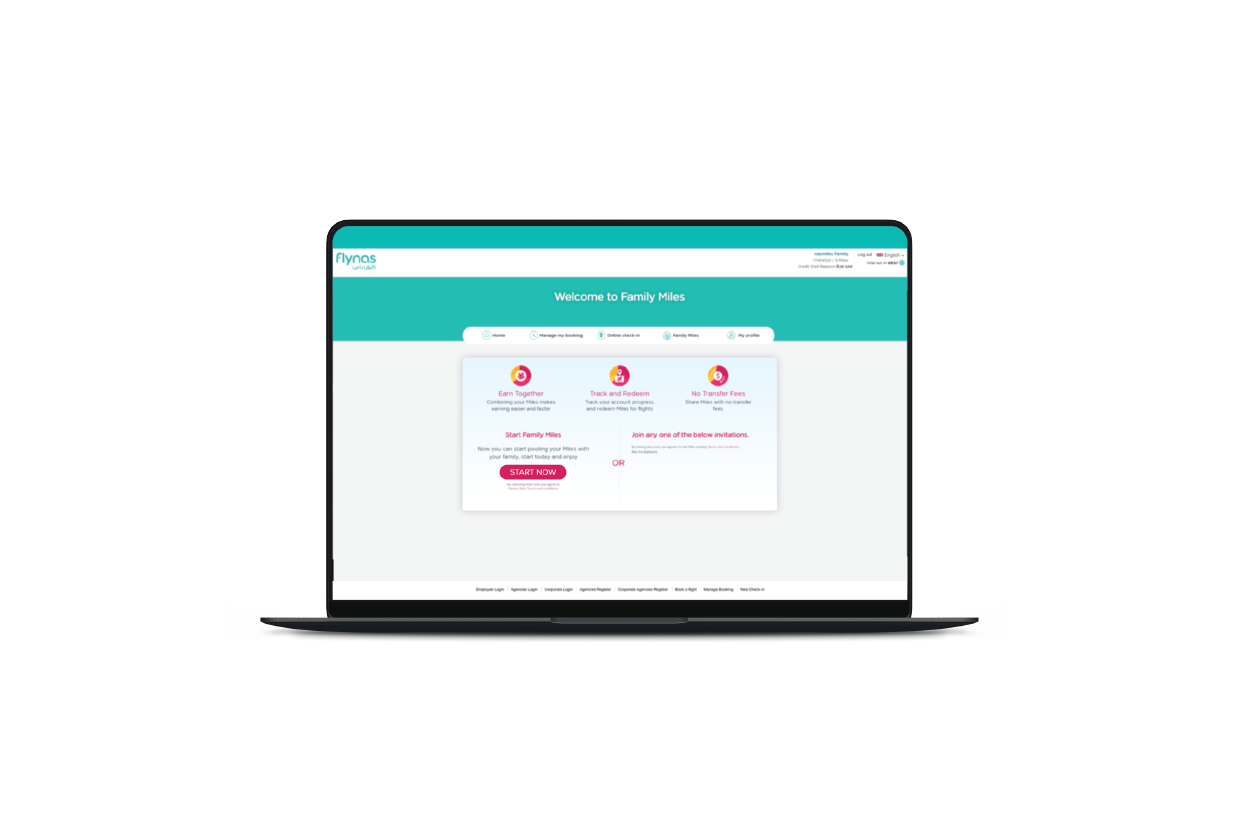
Go to the Family Miles section and click “START NOW” to create your family account.
Step 3
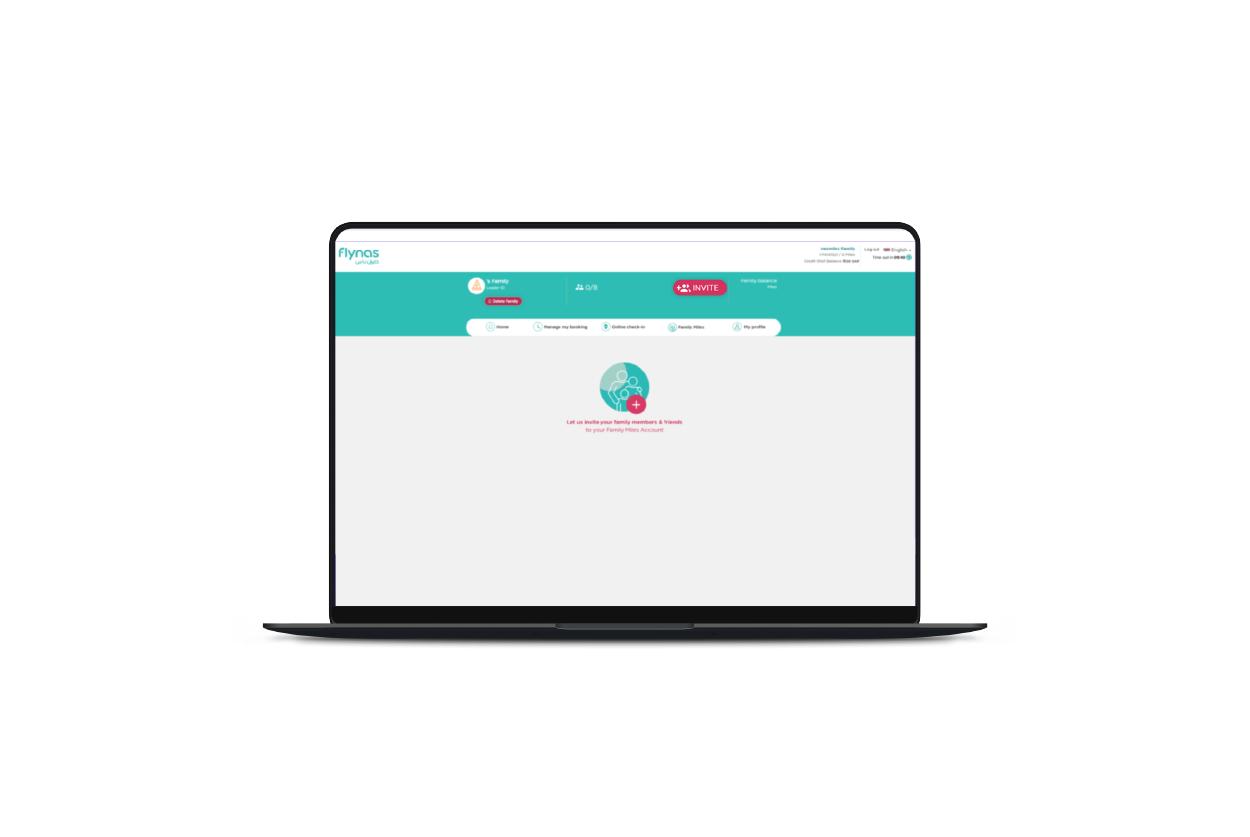
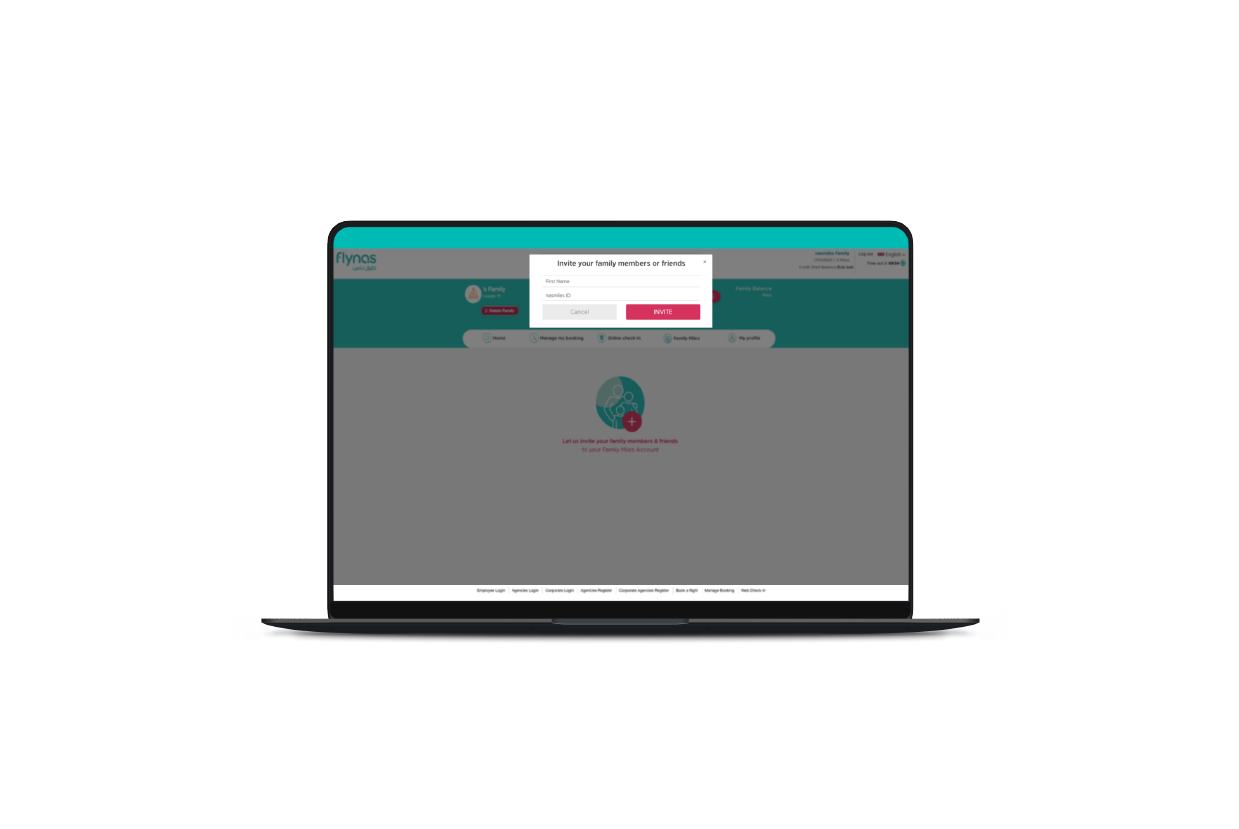
Invite your family members by clicking “INVITE”. Enter the member’s First Name and nasmiles ID, then click “INVITE”.
Step 4
Each invited member must log in to their account and accept the invitation to join the Family Miles Account. Once accepted, all eligible miles earned on flynas flights by family members will be automatically pooled — with no transfer fees, all managed by the Family Leader.


Learn More
For more details about the Family Miles Account and program rules, please review our official Terms & Conditions.
View Terms & Conditions